How to Book a Name Change Advertisement Online in Newspapers: Complete Step-by-Step Guide
Booking a name change advertisement online is straightforward when you follow the right steps.
This guide takes you through the online booking process, explains what to do at each stage, and highlights common mistakes that can delay publication.
Quick Answer: How to Book a Name Change Ad Online
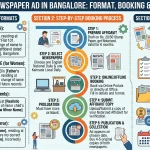
Booking a name change advertisement online involves nine key steps:
- Open the "Change of Name" category.
- Pick the newspaper and city edition.
- Select a classified text or display format.
- Provide your old name, new name, and address.
- Upload the supporting documents, including a notarised affidavit.
- Set your preferred publication date.
- Check the spelling of every name and detail.
- Complete the payment through your preferred method.
- Receive the confirmation within 1 minute.
With your documents ready, you can complete the booking in 10–15 minutes.
What You Need Before Starting the Online Booking Process
Get your details and documents ready before you start the online booking:
- Your old name, with the exact spelling shown on your identity documents.
- Your new name in the form you want to publish.
- Your residential address.
- A copy of your notarised name-change affidavit.
- Your email address and phone number.
- Your preferred publication date.
- Your payment method, such as UPI, card, net-banking, or wallet.
Preparing these details in advance can help you avoid delays and complete the booking faster.
Critical:
Keep your notarised affidavit ready before you begin. Online platforms require an upload of the affidavit before they confirm the booking.
Step 1: Visit the Online Booking Platform and Select Your Category
Open the online advertisement booking website, such as ReleaseMyAd or your newspaper's direct booking site, and find the section for classified advertisements or announcements.
Then look for the "Change of Name" category, which may appear under:
- Announcements.
- Public Notices.
- Change of Name.
- Name Change Notices.
- Legal Notices.
Select "Change of Name" to start the booking process.
Step 2: Choose Your Newspaper and City Edition
Choose the newspaper in which you want to publish your advertisement, such as Times of India, Indian Express, The Hindu, or a regional newspaper, and then select the city edition that matches your requirement.
This choice matters because:
- Same newspaper, different cities = different rates.
- Times of India Delhi may cost ₹600 while Times of India Mumbai costs ₹850.
- The edition must cover your city or district (don't select the Mumbai edition if you're in Pune).
How to choose the right edition:
Which city is your authority located in? (where you'll submit documents).
Which edition covers that city?
Confirm before proceeding to payment.
Check the edition details on screen:
The platform should show the publication area covered by each edition before you make your selection.
Step 3: Select Your Advertisement Format
Select the format for your advertisement: classified text, classified display, or display advertising.
Classified text is the common choice because it is:
- The cheapest option (40–60% less expensive than display).
- Legally sufficient for all name change purposes.
- Fast to publish (often next business day).
Format options:
Classified Text:
Plain text only, no borders or images (~₹300–700).
Classified Display:
Small borders or layout (~₹800–1,500).
Display Ad:
Large space with images, borders (~₹2,000+).
Recommendation:
Classified text works well for name change notices and costs less than display formats.
Step 4: Compose Your Advertisement
Enter your name change notice in the "Compose Ad" section and follow the platform's template.
Your advertisement should include:
- Your old name (exactly as spelled in your old identity documents).
- Your new name (exactly as you want it in new documents).
- Your residential address.
- A declaration statement.
- Date of change (if applicable).
Standard format example:
"I, [Full Old Name], S/O [Father's Name], residing at [Full Address], have changed my name to [Full New Name] with effect from [Date]. I shall henceforth be known by my new name in all official and personal matters. Any person having any objection to this change may communicate in writing within 30 days."
Critical steps:
- Copy your names directly from your old and new documents (no paraphrasing).
- Check spelling 3 times.
- Verify the address matches your address proof.
- Keep wording concise to reduce cost.
Platform preview: Most platforms show a preview of your advertisement before you make the payment, so review every detail before you confirm.
Step 5: Upload Your Required Documents
Upload your supporting documents in the Compose Ad section. The platform may ask for documents such as:
For most name changes:
- Notarised name-change affidavit (PDF or photocopy).
- Identity proof (photo of Aadhaar/PAN/Passport).
For marriage-related changes (additional):
- Marriage certificate (copy).
For divorce-related changes (additional):
- Divorce decree (copy).
For minor's name change (additional):
- Birth certificate (copy).
- Parent's identity proof (copy).
Upload instructions:
- Click the "Upload Documents" button.
- Select file format (PDF is preferred).
- Upload file (max size usually 5 MB).
- Confirm the upload is successful (platform shows a checkmark).
- Do NOT proceed without a successful upload.
Important: Newspapers review the supporting documents before they approve the advertisement for publication. Upload the required documents before you complete the booking, or the platform cannot confirm your order.
Step 6: Choose Your Publication Date
Choose a publication date from the available screen options. The platform will show:
- Available dates (usually 2–7 days in advance).
- Cut-off times (after which booking closes for that date).
- Cost differences (some dates may cost slightly more).
How to choose:
When do you need the proof? (important deadline?).
Which date has the latest cut-off time? (gives you more booking time).
Does this allow time for document approval? (usually 24–48 hours).
Booking before the cut-off:
Most newspapers offer next-business-day publication when you book before their 12 PM or 2 PM cut-off time. The cut-off time varies by newspaper.
Step 7: Review Everything Before Payment
Take one final look at your booking details before you complete the payment:
- ✅ Old name spelling (matches your old documents exactly).
- ✅ New name spelling (matches your affidavit exactly).
- ✅ Address (complete and accurate).
- ✅ Newspaper name (correct publication selected).
- ✅ City edition (covers your location).
- ✅ Publication date (meets your deadline).
- ✅ Final price (no hidden charges).
- ✅ Document upload (successful confirmation visible).
- ✅ Advertisement preview (shows exactly how it will print).
If you find any error, stop before making the payment. Go back, make the correction, and proceed only after you have checked the details.
Step 8: Select Your Payment Method and Complete Payment
Choose your preferred payment method from the available options:
Common payment methods include:
- ✅ UPI (Google Pay, PhonePe, Paytm).
- ✅ Debit or credit card.
- ✅ Net-banking (all major banks).
- ✅ Digital wallets.
- ✅ Cash on delivery (some platforms).
Payment security:
- The website should show "HTTPS" and a lock icon (secure).
- The payment gateway is a separate secure page.
- Avoid public WiFi for payment.
- Keep your payment confirmation screenshot.
Complete payment: Pay using your selected method and wait for the confirmation.
Step 9: Receive Your Booking Confirmation
Once you complete the payment, you will receive the following within 1 minute:
- ✅ SMS confirmation to your phone.
- ✅ Email confirmation to your registered email.
- ✅ Booking reference number (save this!).
- ✅ Invoice/receipt.
- ✅ Expected publication date.
- ✅ How to track your order.
Keep your booking details: Save or screenshot the booking reference number and invoice. You can use them to track the publication and keep a record of your booking.
Step 10: Track Your Order and Receive Publication Proof
Once you receive your booking confirmation, use the platform to track your order:
- Log in to your account on the booking website.
- Find your booking reference number.
- View order status (Confirmed → Approved → Published).
- Access your e-paper proof (within 24–48 hours of publication).
Once your advertisement appears in the newspaper, you will receive:
- ✅ E-paper link showing your advertisement.
- ✅ Publication date and edition number.
- ✅ Newspaper page number.
- ✅ PDF proof of publication.
- ✅ Publication certificate (sometimes).
Keep your publication proof: Download, save, or print the e-paper proof. You may need it when applying for Passport, Aadhaar, PAN, or Gazette updates.
Common Mistakes to Avoid When Booking Online
Mistake 1: Spelling Inconsistencies
❌ Wrong: Affidavit shows "PRIYA SHARMA VERMA," but you type "PRIYA SHARMA VERMA" in ad.
✅ Correct: Copy names directly from affidavit—character by character.
Mistake 2: Wrong Newspaper Edition
❌ Wrong: Booking Mumbai edition when you're in Pune—authority rejects it.
✅ Correct: Verify edition covers your location before payment.
Mistake 3: Not Uploading Documents
❌ Wrong: Skipping document upload and paying—booking gets rejected.
✅ Correct: Always upload affidavit before proceeding to payment.
Mistake 4: Paying Without Reviewing
❌ Wrong: Clicking "Pay Now" without checking spelling and details.
✅ Correct: Review everything 3 times, then pay.
Mistake 5: Choosing Cheapest Newspaper
❌ Wrong: Selecting the cheapest paper that doesn't meet the authority's requirements.
✅ Correct: First confirm requirements, then compare prices of acceptable papers.
Mistake 6: Not Checking Format Before Payment
❌ Wrong: Paying without seeing how the ad will look in the newspaper.
✅ Correct: Review the platform's advertisement preview before payment.
Mistake 7: Missing Document Deadline
❌ Wrong: Booking but forgetting to upload documents before cut-off.
✅ Correct: Upload documents immediately after selecting publication date.
Mistake 8: Losing Your Confirmation
❌ Wrong: Deleting confirmation email and losing booking reference number.
✅ Correct: Save confirmation, invoice, and booking reference permanently.
How Long Does Online Booking Take?
Typical timeline for booking a name change advertisement online:
| Stage | Time Required | What Happens |
|---|---|---|
| Filling form | 5–10 minutes | You enter details in platform |
| Document upload | 2–3 minutes | You upload affidavit + supporting docs |
| Review before payment | 5 minutes | You verify all details |
| Payment | 2–3 minutes | You complete payment online |
| Confirmation | 1 minute | Platform sends SMS + email |
| Document approval | 12–24 hours | Newspaper editorial team reviews docs |
| Publication | 24–48 hours | Ad appears in e-paper and print |
| Total start to publication | 2–3 days | From booking to seeing your ad |
Rush/express options: Some newspapers offer next-day publication for bookings made before 12 PM. Check the available options when you choose your publication date.
How to Track Your Online Name Change Ad Booking
After booking, track your order on the platform:
1. Check order status:
- Log in to your account.
- Go to "My Bookings" or "Order History".
- Find your booking reference number.
- View current status (Confirmed → Approved → Published).
2. Receive status updates:
- SMS updates (usual timeline: order confirmed, approved, published).
- Email notifications (with e-paper link once published).
- Platform notifications (if app is installed).
3. Access your e-paper proof:
- The platform provides a direct link to the newspaper's e-paper.
- Your ad appears on the specific page, date, and edition.
- Download or screenshot for your records.
4. Save proof permanently:
- E-paper link (may expire after 30 days).
- PDF download of your ad.
- Print physical copy if needed.
- Keep with your documents for future applications.
What If There's an Error After I Book Online?
If you notice an error after booking but before publication:
- Contact the platform immediately (phone or email).
- Provide your booking reference number.
- Explain the error (spelling, address, name, etc.)
- Ask if it can be corrected (depends on how close to publication).
- Be prepared to pay for re-booking if correction isn't possible.
If the error appears in the published advertisement:
- Book a correction/clarification advertisement.
- Clearly state which version is correct.
- Use corrected proof for official applications.
Prevention: Review the advertisement preview before clicking "Pay Now."
Can You Change Your Ad After Booking But Before Publication?
Most platforms let you make changes within 24 hours of booking, but the available options depend on:
- How close you are to the publication cut-off time.
- How close you are to the publication date.
- The platform's specific edit policy.
To change your booking:
- Log in to your account.
- Find your booking reference.
- Click "Edit" or "Modify" (if available).
- Make your changes.
- Re-verify everything.
- Confirm changes.
If you cannot make the edit online:
Reach out to customer service with your booking reference number and the changes you requested.
Best practice:
Make sure all details are correct before you pay to prevent issues later.
What If Your Documents Get Rejected After Booking?
If the newspaper's editorial team rejects your documents after payment:
You will be notified via email (with the reason for rejection).
The platform gives you options:
- Resubmit corrected documents (free, delays publication).
- Refund your booking (and start over).
- Transfer booking to another date.
Common rejection reasons:
- Affidavit is too old (older than 6 months).
- Affidavit doesn't match your ad wording.
- Documents are unclear/illegible.
- Missing required documents.
How to prevent rejection:
- Use a recent affidavit (less than 6 months old).
- Ensure ad text matches the affidavit exactly.
- Upload clear, legible document copies.
- Include all required supporting documents.
Frequently Asked Questions About Online Name Change Ad Booking
Can I book a name change ad online if I'm outside India?
Yes. You can book a name change advertisement online from anywhere with internet access. Use your phone or computer, pay with an international card or digital wallet, and submit your documents online. You do not need to visit an office or hand-deliver documents.
How do I know my documents were uploaded successfully?
Check for a green checkmark or an "Upload successful" message next to your document. Most platforms show whether you have uploaded each required document. If you see an error message, try uploading it again. If the upload still fails, contact customer support with your booking reference number.
Can I book multiple name change ads in different newspapers at the same time?
Yes. Most online platforms let you book advertisements in multiple newspapers at the same time. Select newspaper #1 and complete the booking. Then return to the homepage and book newspaper #2. Each booking receives its own confirmation and reference number. Keep all your confirmations organized.
What happens if the publication deadline passes before my booking is processed?
If the newspaper cannot publish on your chosen date, the platform will move your booking to the next available date or email you with options to choose a new date. You won't lose your payment. The platform will either confirm the new date or offer a refund if it does not work for you.
Can I get a refund if I change my mind after booking?
Each platform has its own refund policy. Most platforms offer refunds when:
- Publication hasn't started yet.
- You request within 24–48 hours of booking.
- No specific clause prevents it.
Some platforms deduct a processing fee of ₹100–200 from the refund. Check the platform's refund policy before you book, or contact customer support.
Is it safe to upload my affidavit and identity documents online?
Yes, when the platform uses an HTTPS connection. Check for:
- 🔒 Lock icon in address bar.
- "https://" in the URL (not "http://").
- Clear privacy policy.
- Reputable platform (established company).
The platform uses your documents for editorial approval and removes them after publication.
Can I use the same ad booking for multiple newspapers to save money?
No. Each newspaper requires its own booking and payment. You can reuse the same advertisement text and supporting documents, but you must complete a separate transaction for every newspaper.
What if the newspaper loses my documents after booking?
This is rare. Platforms and newspapers use secure systems to handle your documents. If your documents are lost:
- The platform or newspaper will notify you.
- You can resubmit documents.
- They will reschedule your publication date.
- You won't be charged again.
Best Practices for Successful Online Booking
Before You Book:
- ✅ Gather all required documents.
- ✅ Confirm with your authority which newspapers they accept.
- ✅ Verify the number of publications needed.
- ✅ Decide the exact spelling of old and new names.
- ✅ Prepare your advertisement wording.
During Booking:
- ✅ Copy names directly from documents (no paraphrasing).
- ✅ Check spelling 3 times before payment.
- ✅ Verify the edition covers your location.
- ✅ Upload documents immediately.
- ✅ Save your booking reference number.
After Payment:
- ✅ Save confirmation email.
- ✅ Track your order status.
- ✅ Download your e-paper proof.
- ✅ Save proof permanently (multiple formats).
- ✅ Keep with your documents for future applications.
Timeline: From Online Booking to Getting Your Proof
| When | What Happens | Action You Take |
|---|---|---|
| Minute 0–10 | Fill out form + upload documents | Book your ad |
| Minute 10–15 | Make payment | Complete payment |
| Minute 15–16 | Receive confirmation | Save booking reference |
| Hour 1–24 | Editorial approval | Wait for newspaper approval |
| Hour 24–48 | Ad published | Receive e-paper link via email |
| Day 3 | Download proof | Save PDF/screenshot permanently |
Total time from booking to receiving your proof: 2–3 days.
Conclusion: Online Booking Makes Name Change Ads Simple
Booking a name change advertisement online becomes simple when you follow the right steps: gather your documents, choose the newspaper and ad format, write your advertisement, upload the supporting documents, select a publication date, check the details, make the payment, and save your confirmation.
With your documents ready, you can complete the booking in 10–15 minutes, and your advertisement can publish within 2–3 days.
ApplyNameChange.in makes it easy to book a name change advertisement in 280+ newspapers across India. Select your newspaper, upload your affidavit, and receive publication proof for your Passport, Aadhaar, PAN, or Gazette application.
Start your online booking. Book before the cut-off time, and your name change advertisement can appear in the newspaper as soon as tomorrow.